
Mindoro Asset Studio
A downloadable tool for Windows
Mindoro Asset Studio v2.0.0
The game-asset workflow studio built to replace a messy tool stack.
Mindoro Asset Studio is a desktop app for game developers who are tired of bouncing between folders, editors, converters, note files, plugin helpers, and engine-specific workarounds.
Open your project. See your assets in context. Launch the right tool. Make the change. Save. Keep moving.
This is not just a file browser. It is a workflow center for game projects.
One purchase. No subscription. No cloud lock-in. No forced online workflow.
Why Mindoro Asset Studio stands out
- All-in-one workflow: Asset management, pixel editing, animation, database tools, plugin workflows, tilesets, vector work, and text editing in one desktop app
- Context-aware by design: Standard tools stay available across projects, while engine-specific tools appear when they are actually relevant
- Built for production flow: Import, organize, preview, edit, export, and continue working without constantly switching software
- Made for indie speed: Better for solo developers and small teams who need progress, not complexity
- Offline-first: Your workflow stays local, practical, and fully under your control
What's new in v2.0.0
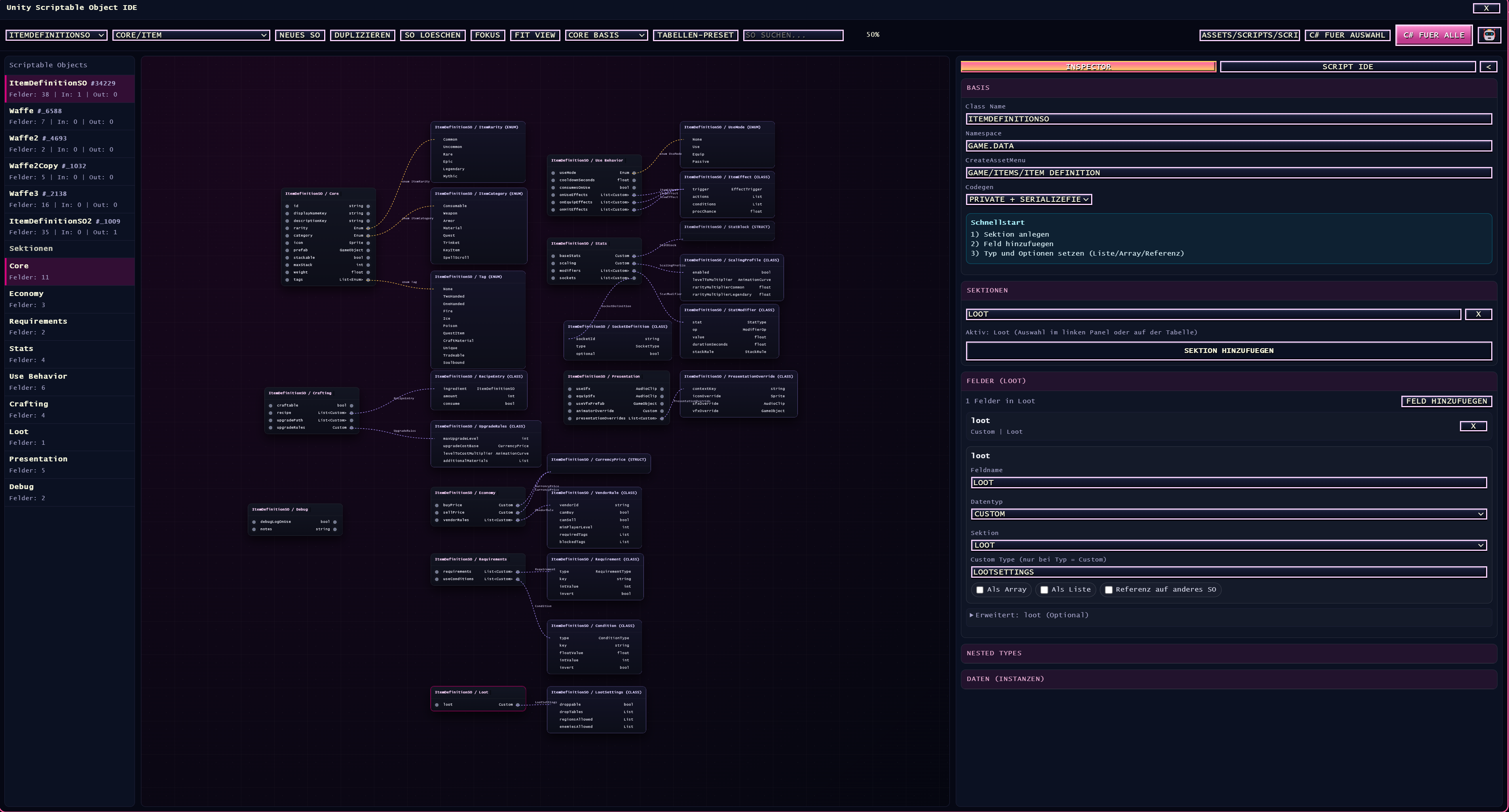
- Unity ScriptableObject IDE: Visual SO workflows, graph-style structure building, and faster C# generation
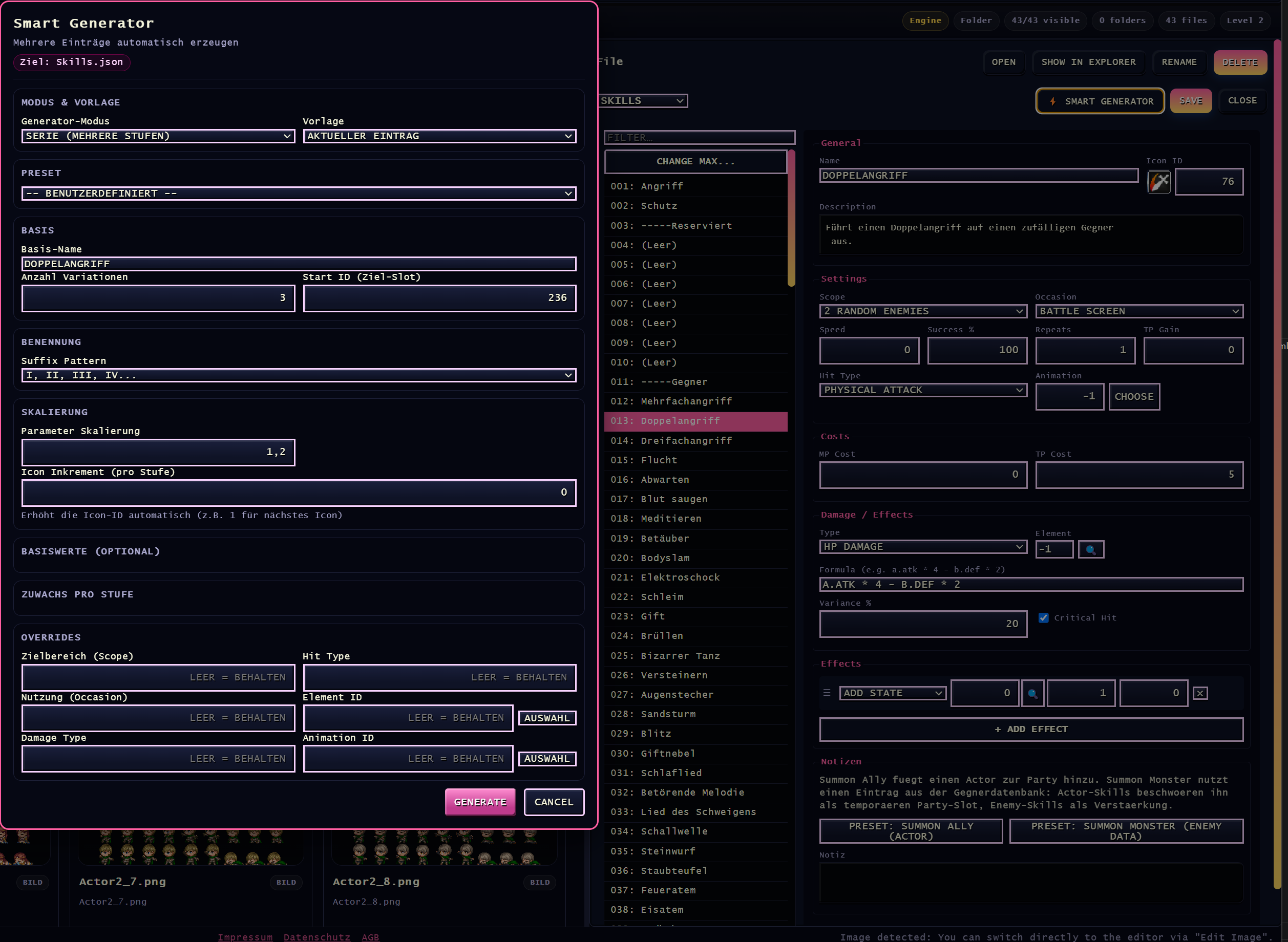
- Database Generator 2.0: Faster creation of repeated RPG Maker content with smarter progression and flexible templates
- Physical Folder View: Better support for Unity, Godot, GameMaker, and Unreal project structures
- Faster editor access: Quicker paths into core tools through streamlined editor shortcuts and cleaner workspace flow
- Improved day-to-day workflow: Better project navigation, preview flow, editing flow, and export flow across the app
What you can do inside the app
Manage project assets without losing structure
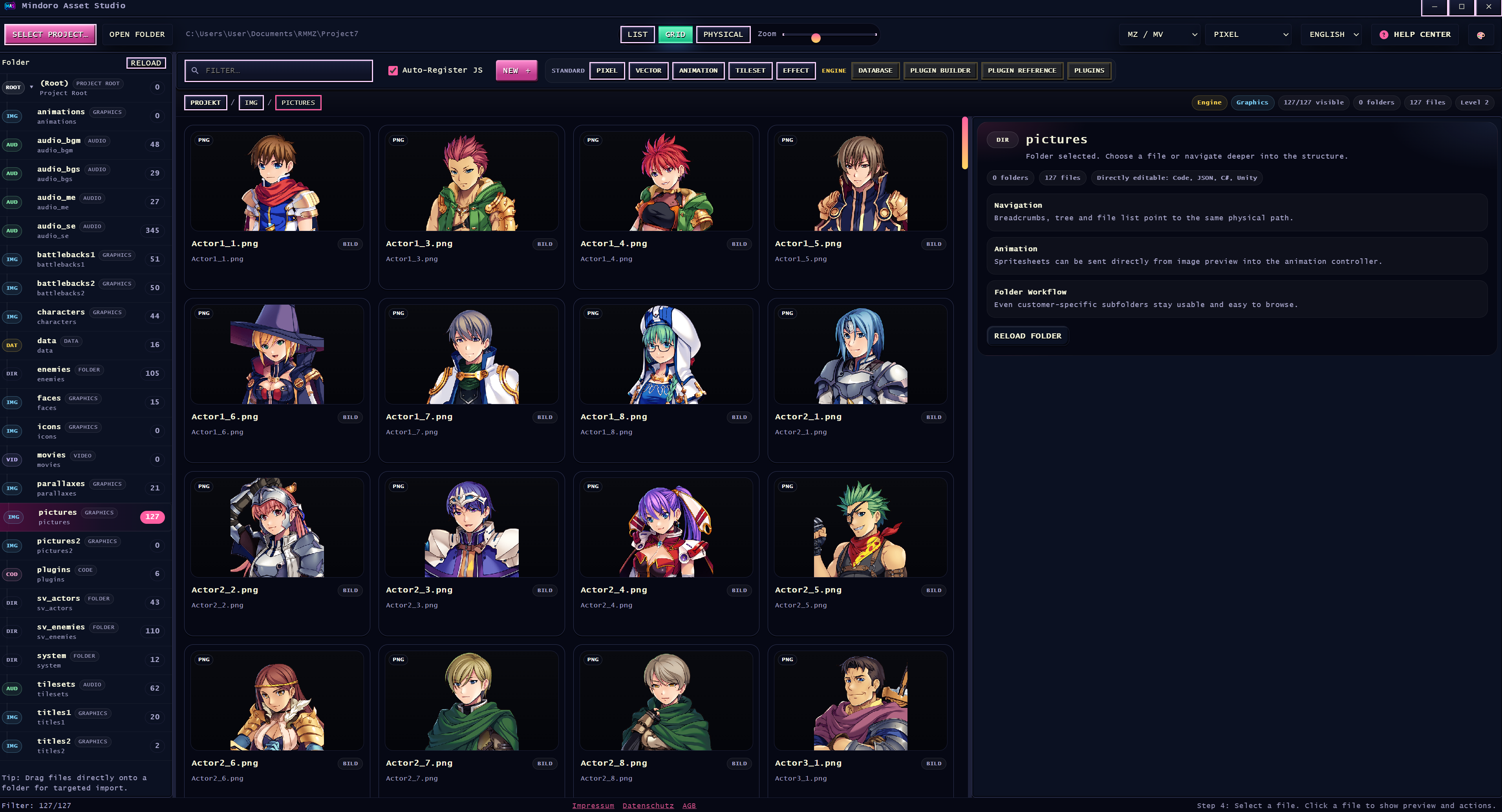
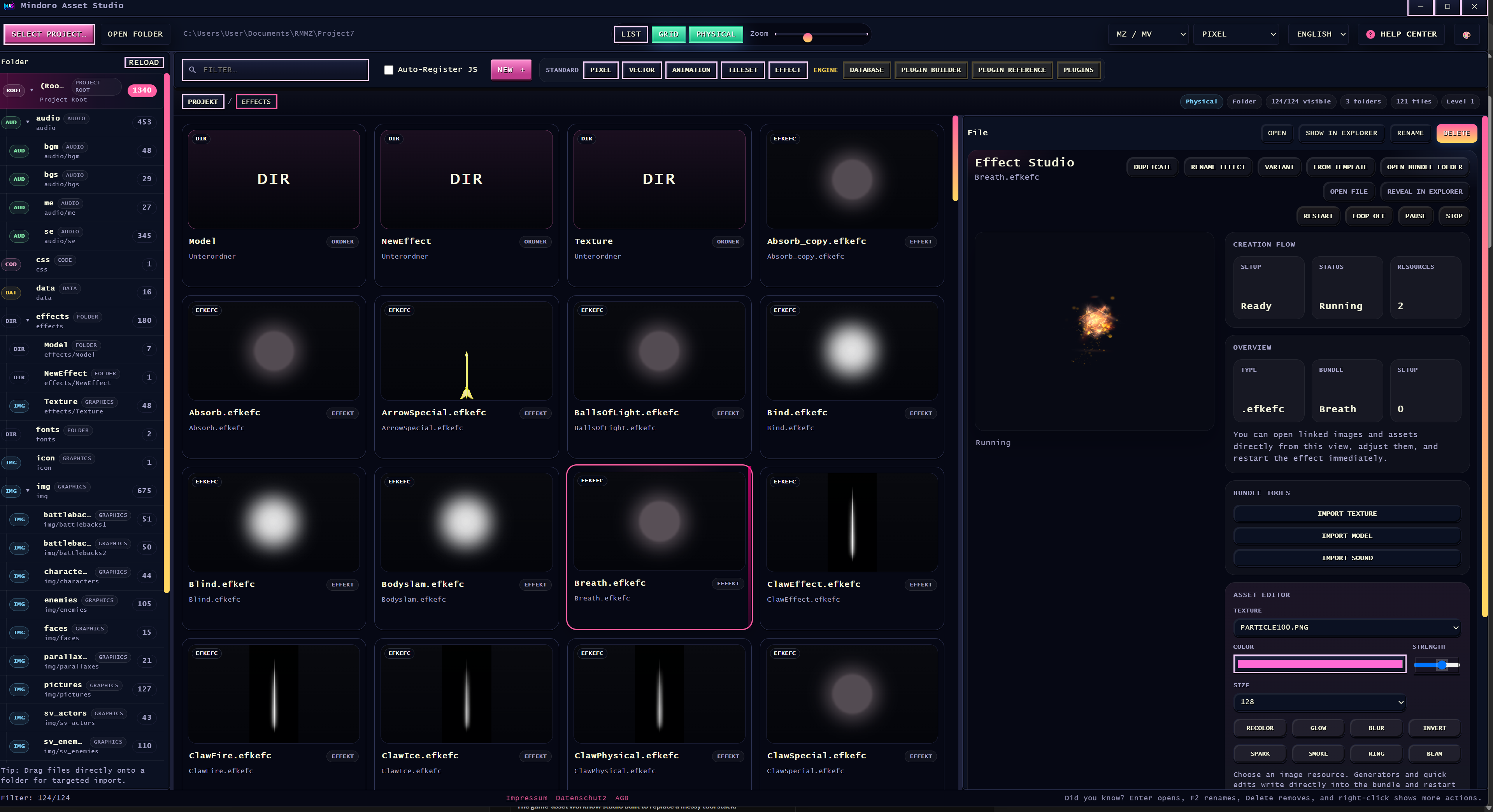
- Browse assets in engine-aware views
- Work with physical folder views for non-RPG-Maker projects
- Import assets by drag and drop
- Search, filter, preview, and organize large project folders faster
- Stay closer to the actual structure your project uses
Create and refine 2D assets in the same workflow
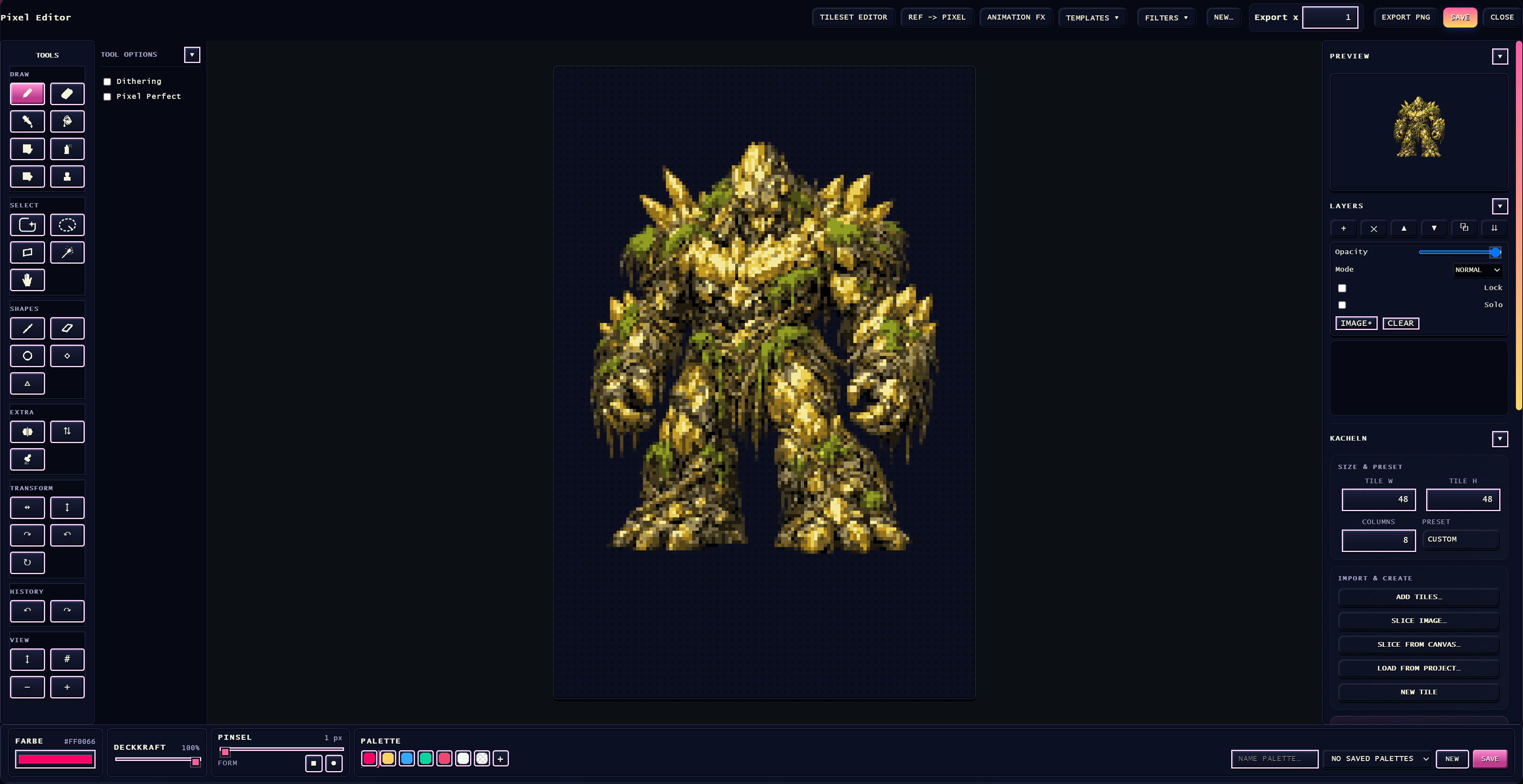
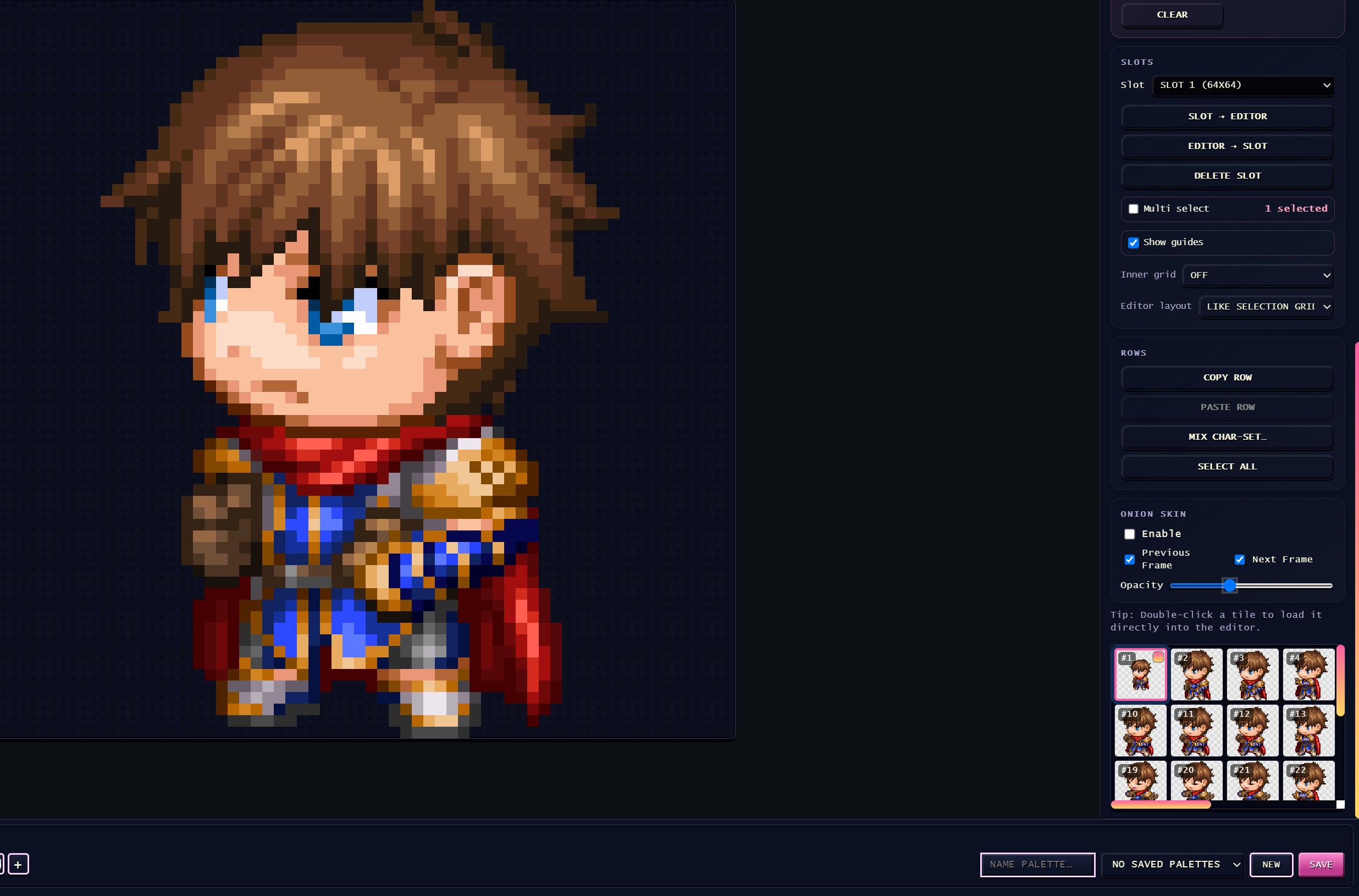
- Use the built-in Pixel Editor for sprites and pixel cleanup
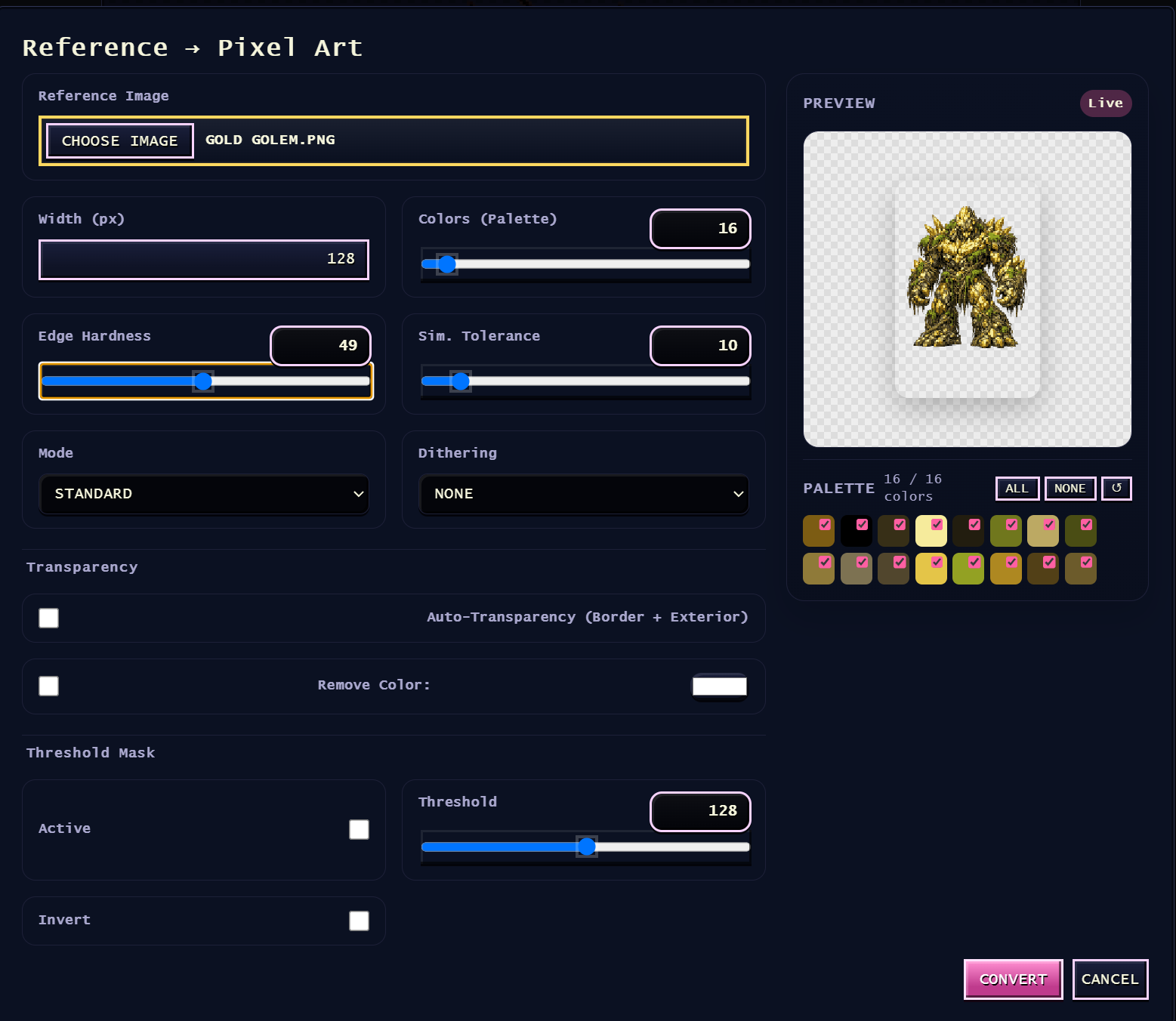
- Use Ref2Pixel to turn existing images into pixel-friendly starting points
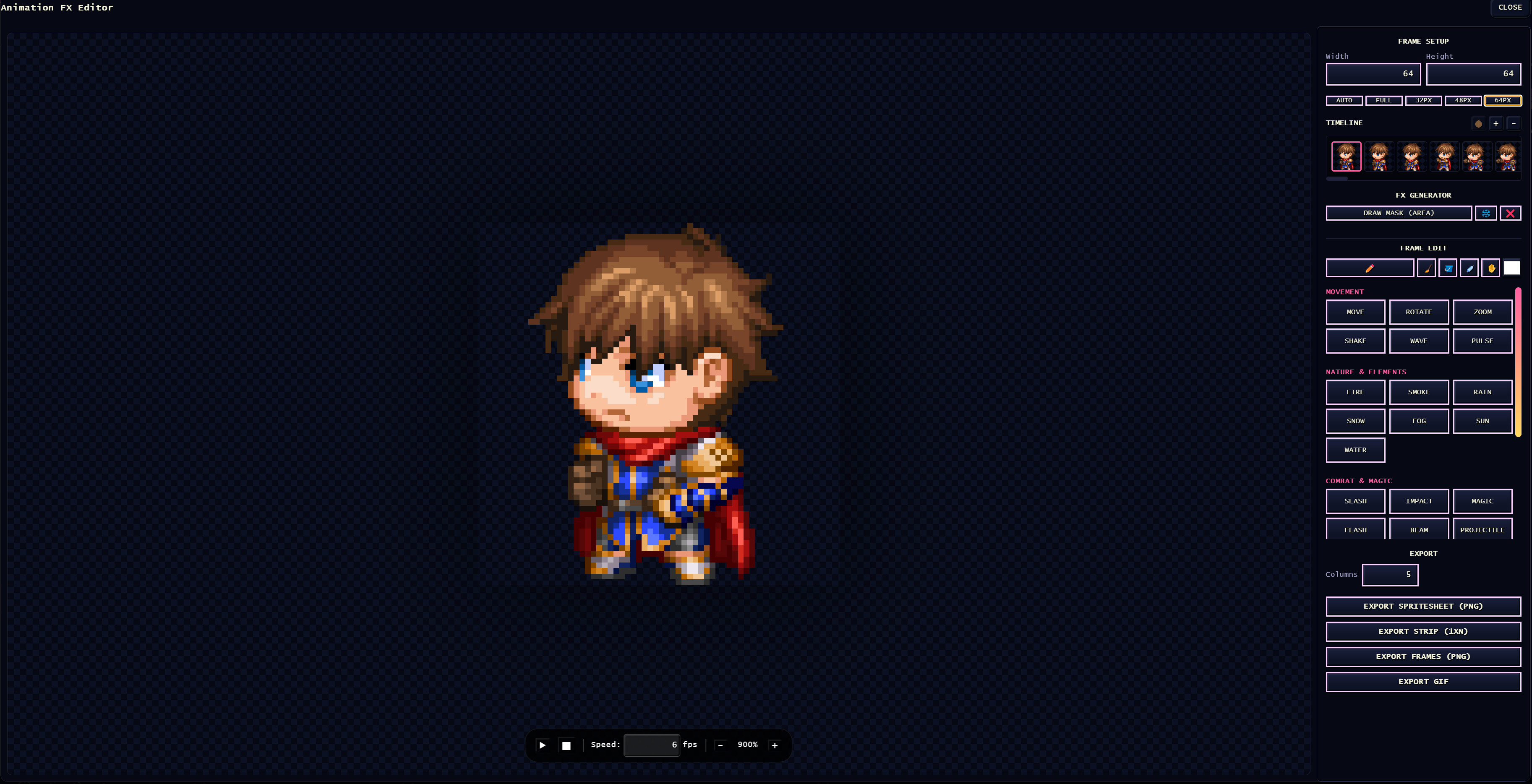
- Edit animations, export GIFs, spritesheets, or PNG frames
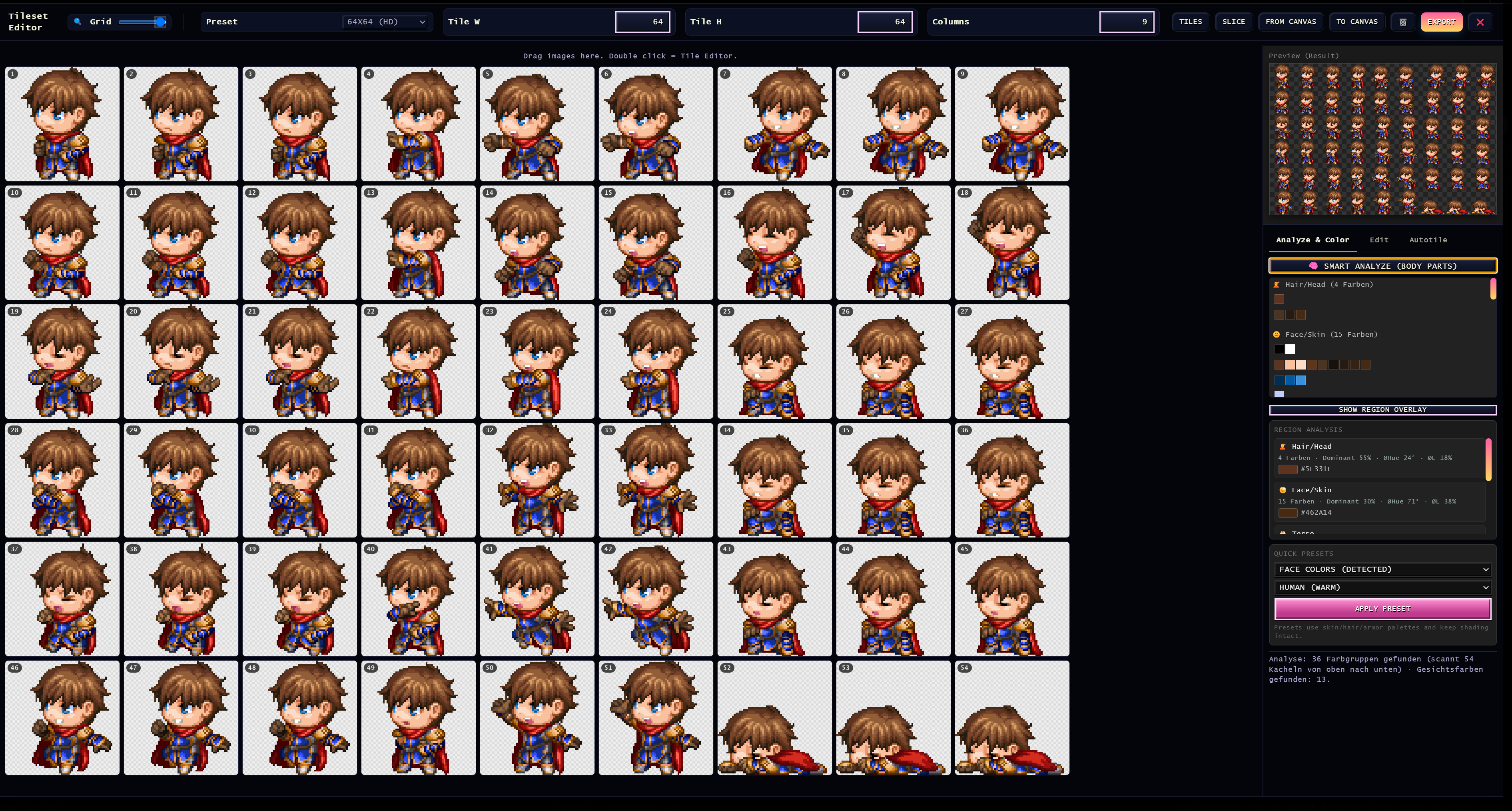
- Build tilesets faster from larger source images
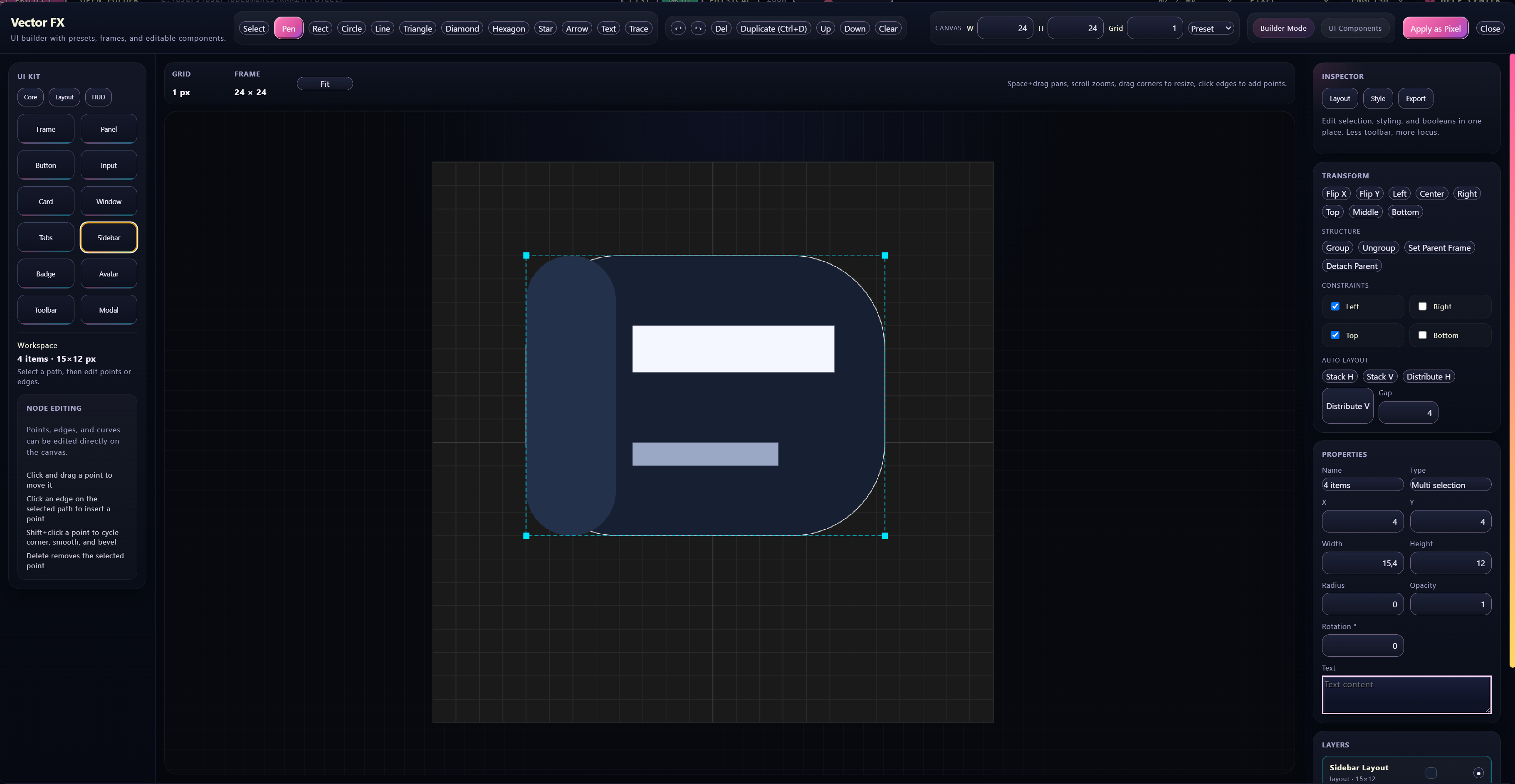
- Create vector-based UI graphics and icons inside the same toolset
Speed up RPG Maker production
- Edit RPG Maker database content more visually
- Generate repeated items, skills, enemies, and balance variants faster
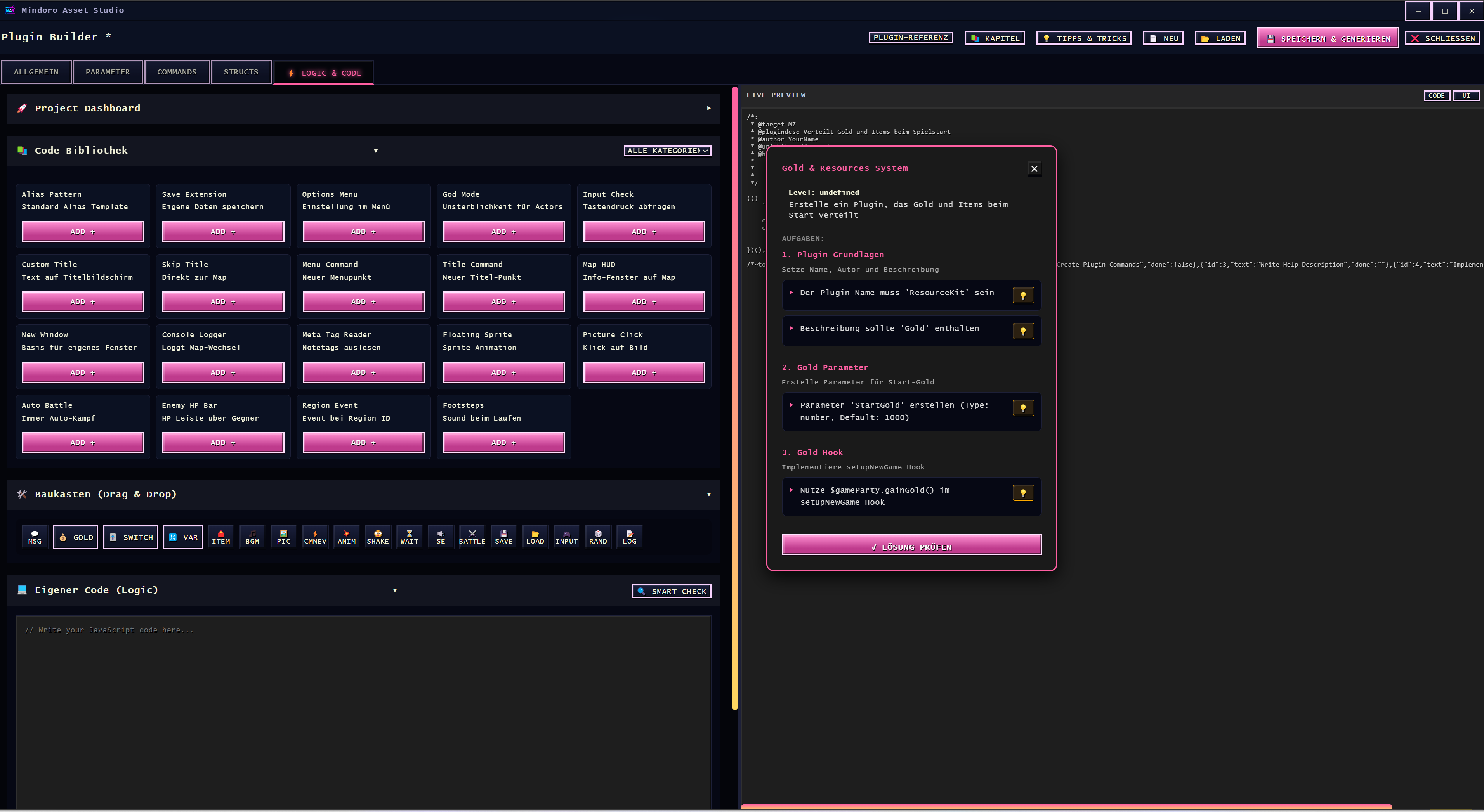
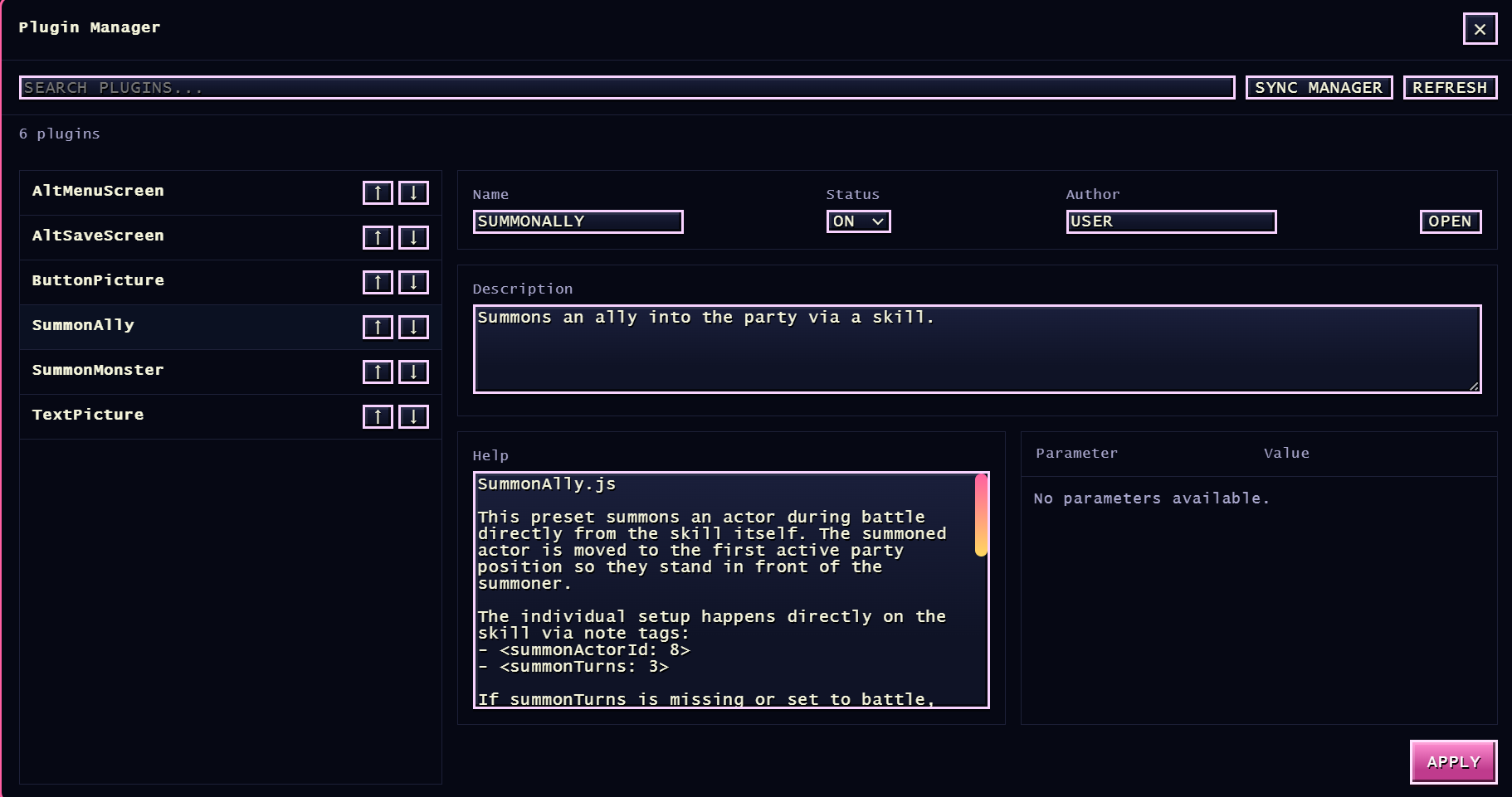
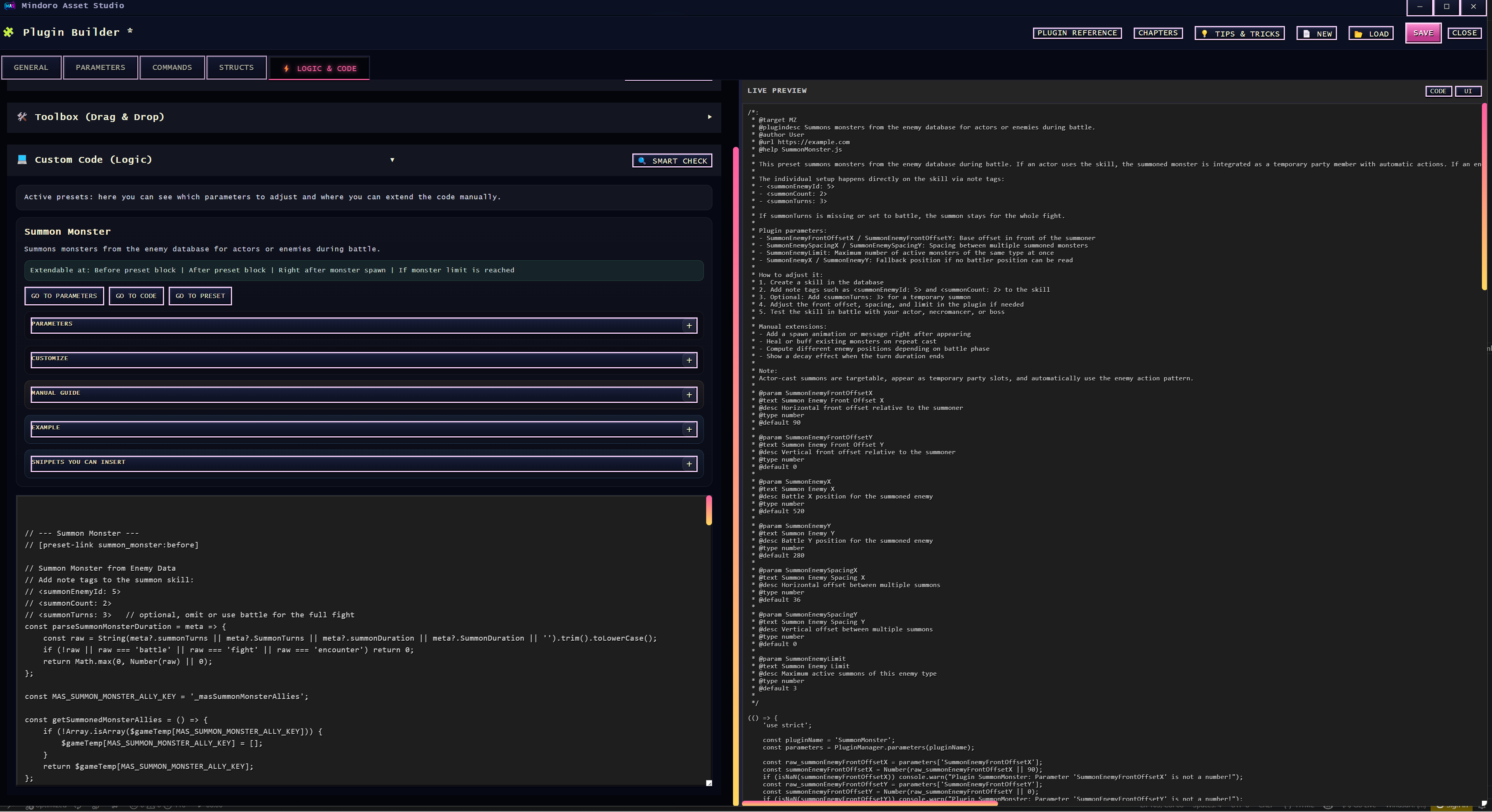
- Build RPG Maker MZ plugin structures visually
- Handle plugin parameters, commands, metadata, and setup in one place
Support Unity workflows with less boilerplate
- Plan ScriptableObject structures visually
- Use templates and graph-style layouts to structure data faster
- Generate and refine C# output from within the same workflow
- Reduce repetitive setup when building data-heavy Unity projects
Stay in project context longer
- Open a file, preview it, edit it, and save it back into the project flow
- Avoid breaking momentum for small but constant production tasks
- Use one workspace for many day-to-day game-dev asset jobs
Supported engines
Mindoro Asset Studio supports workflow-oriented use with:
- RPG Maker MZ
- RPG Maker MV
- RPG Maker VX Ace
- RPG Maker XP
- RPG Maker 2000 / 2003
- Unity
- Godot
- GameMaker
- Unreal Engine
- Custom project structures
Standard tools remain useful even outside engine-specific workflows.
Who this is for
- Solo developers who want fewer tools and faster iteration
- Indie teams building 2D games, RPGs, and stylized projects
- RPG Maker developers who want a more unified workflow
- Unity developers who want more visual asset and data preparation
- Creators who want practical workflow gains instead of bloated software stacks
What you get
- Windows desktop application
- One-time purchase
- No subscription model
- Commercial-use friendly workflow for your own projects
- Future updates for buyers
System requirements
- Windows 10 / 11 (64-bit)
- 4 GB RAM minimum, 8 GB recommended
- At least 500 MB free disk space
- 1280x720 display or higher recommended
Installation
- Download the ZIP package
- Extract it
- Run
Mindoro Asset Studio.exe - Select your project folder and start working
No extra setup. No subscription login. No external tool chain required just to get started.
License
- You can use the tool for commercial projects
- You can use it across unlimited own projects
- The assets you create remain yours
- Redistribution of the tool itself is not allowed
Contact
Mindoro Evolution
- Email: mindoro.evolution@gmail.com
- Patreon: https://www.patreon.com/c/MindoroEvolution
- GitHub: https://github.com/mindoroevo
- itch.io: https://mindoro-evo.itch.io
Mindoro Asset Studio helps you stay focused, ship assets faster, and spend less time fighting your tool chain.
Purchase
In order to download this tool you must purchase it at or above the minimum price of 24.99€ EUR. You will get access to the following files:
Development log
- 🚀 Mindoro Asset Studio – Plugin Builder 2.0 UpdateFeb 13, 2026
- 🚀 Mindoro Asset Studio – Plugin Builder 2.0 UpdateDec 09, 2025
Comments
Log in with itch.io to leave a comment.
any plans for maybe making a chatgpt that has knowledge to assist with operating this software?
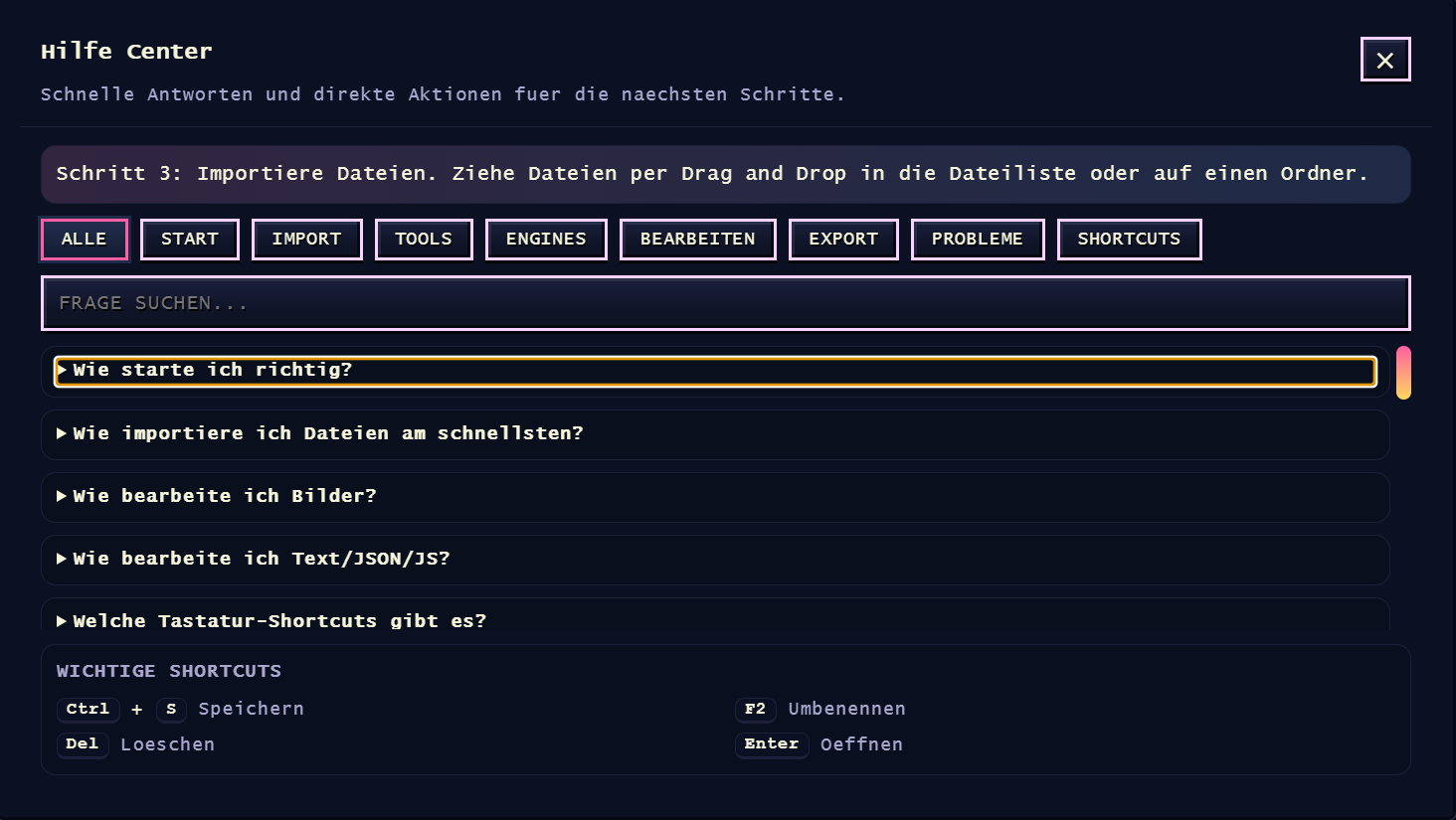
The software already includes a built-in help center and is designed to be largely self-explanatory.
It also runs fully locally and offline, without any dependency on external services.
There are currently no plans to add AI features—the focus is deliberately on clarity, structure, and full user control.
Das Tool sieht echt genial aus, hab schon oft und gerne euren Plugin Builder verwendet, weil es beim Pluginschreiben eine Menge Kopierarbeit erspart. Erst vor ein paar Tagen hab ich mir gedacht es wäre echt toll, wenn ich die Datenbank auch außerhalb von RPG Maker MZ's Interface bearbeiten könnte, um mir das ständige hin-und-her Klicken im Editor zu ersparen. Ich hab zwar schon einige Tools gesehen die dies oder das machen, aber dann hat man erst recht wieder fünf Fenster offen... Das Feature-Set hier wirkt so als ob es genau für meine Projekte passen würde.
Ist gekauft, danke!
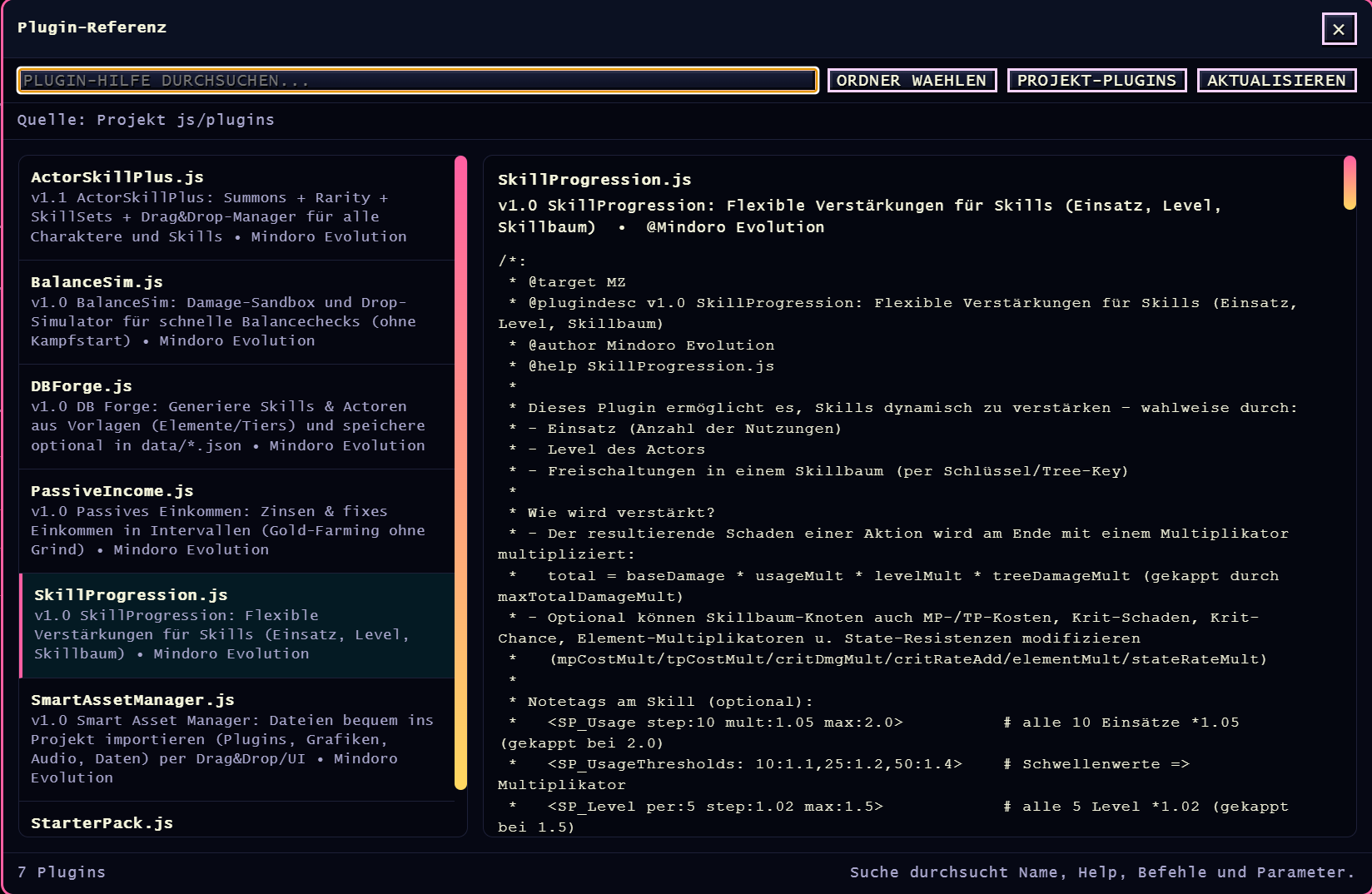
Eine Frage hätte ich noch, wäre es möglich oder geplant, in einem zukünftigen Update eine durchsuchbare Referenz-Ansicht für die Help-Sektionen von Plugins hinzuzufügen? Derzeit verwende ich dafür MVDoc (https://starlit.itch.io/mvdoc) aber es wäre toll, so etwas in der Art auch im AssetStudio integriert zu haben.
Danke dir für das ausführliche Feedback und die netten Worte. Freut mich wirklich, dass dir der Plugin Builder beim Schreiben von Plugins so viel Kopierarbeit erspart hat. Genau dafür ist er gedacht.
Mindoro Asset Studio wird grundsätzlich engineunabhängig entwickelt. Ziel ist es, typische Arbeitsabläufe aus den Editoren herauszuziehen und zentral von außen zu erledigen, egal ob Datenpflege, Assets, Plugins oder andere Projektbestandteile. Weniger Kontextwechsel, weniger offene Fenster, mehr Fokus auf die eigentliche Arbeit.
Zur Frage nach einer durchsuchbaren Referenz-Ansicht für Plugin-Help-Sektionen: Das ist technisch problemlos machbar und inhaltlich absolut sinnvoll. Ich arbeite aktuell an einer ganzen Reihe neuer Features, da das Tool langfristig für mehrere Engines ausgelegt ist. In dem Zuge ist auch ein größeres Update für den Plugin Builder geplant, und solche Wünsche werden dabei mit berücksichtigt.
Grundsätzlich gilt: Kritik und Verbesserungsvorschläge sind jederzeit willkommen und fließen, wenn sinnvoll, auch zeitnah in die Weiterentwicklung ein.
Danke dir für den Support und viel Erfolg bei deinen Projekten.
this sounds way too good to be true
Hey, thanks for your feedback! Since you’re the first one to comment here, I’d be happy to let you test the tool for free. If you end up liking it, I’d really appreciate your feedback.
I’m a solo developer, so in the early stages there might still be a few small bugs. Those are usually fixed within 24 hours, since I’m actively working on the project.
I appreciate every bit of honest feedback – it helps the tool grow, become better and more powerful, and evolve together with the community. If you’re interested in testing it, just let me know!
Best regards, David
wow awesome, im still very new to RPG maker mz and this is my absolute first experience with game development! i have so much to learn obviously right from the beginning! i would feel so bad though taking it for free because you obviously worked super hard on it and who knows if i would even use it yet!
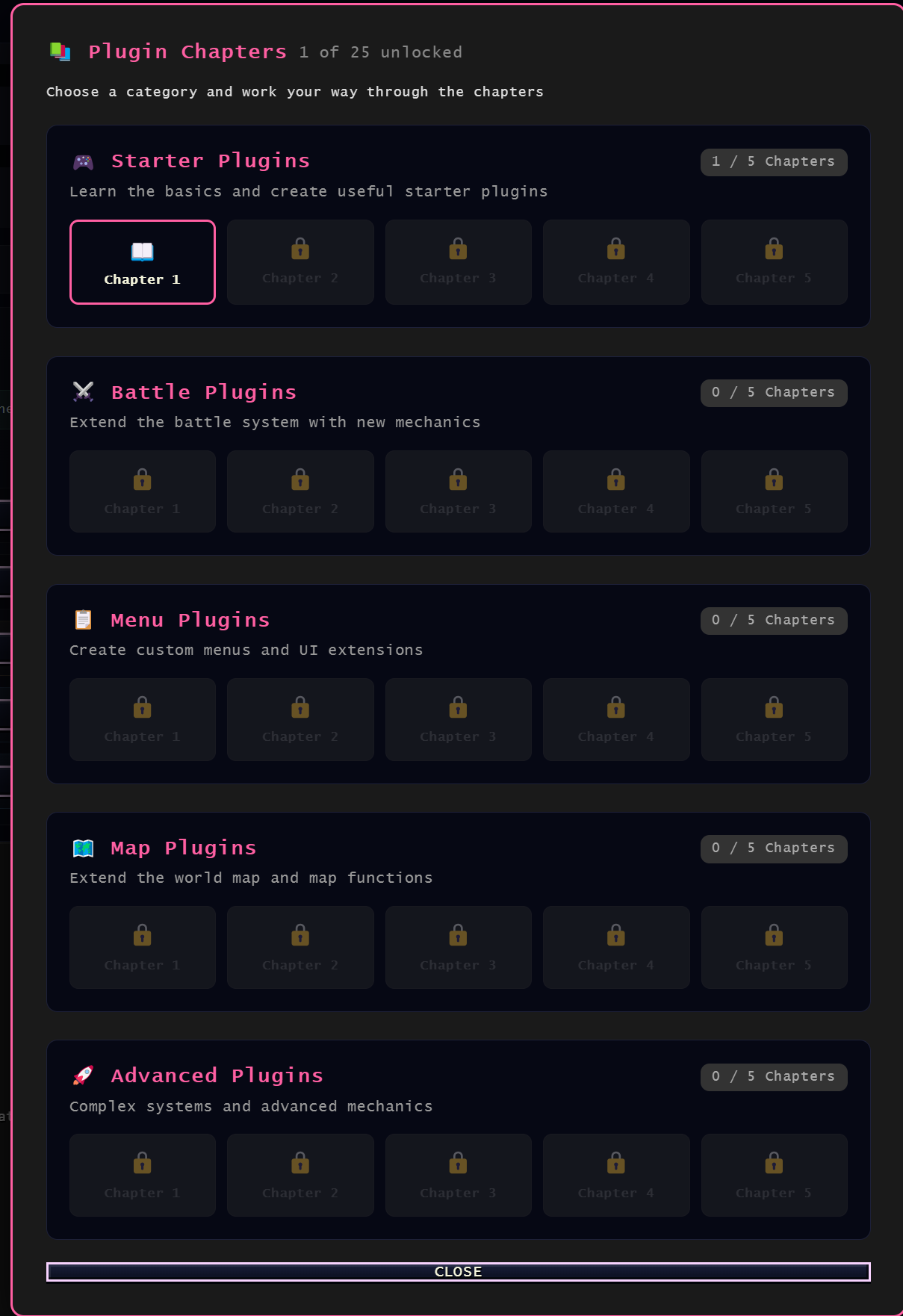
Hey, thanks for your message – and sorry for the late reply! Your comment this morning actually sparked a few new ideas. I’ve updated the Plugin Builder so that beginners can create their first plugins much more easily. I also added a new chapter-based feature where you learn step by step through small tasks, even if you’ve never written a single line of code before.
And don’t worry about “testing for free.” Honest feedback is just as valuable to me as a purchase, especially from beginners.
If you’d like to follow what I’m working on next: I’m currently setting up my Patreon page, where I’ll be posting some free content as well as optional extras. Completely up to you.
Best regards
that is awesome! well i would love to use your software and i will check out your patreon!
Please contact me via email.